Search how to connect zikr ring to app, and nearly every result teaches one brand’s app while assuming you already know which one to install. That single gap is where most people get stuck.
This guide fills it. We match each ring to its app, mark what works offline versus what the app unlocks, and cover the step almost no support page documents: removing a ring before it moves to a new phone or a new owner. The WESLAMIC “Every Dhikr Matters” philosophy runs through it: alongside you, not ahead of you.
Key Takeaways
Four steps connect any zikr ring: install the matching app, enable Bluetooth, wake the ring, then pair (signing in only if the app asks).
Each brand pairs to its own app, so match it to the name on your ring.
The free WESLAMIC App shows 50,000+ installs and a 4.5-star rating (Google Play, 2026).
Where the app uses accounts, unbind the ring before you gift or resell it, so your dhikr history stays yours.
The 4 Steps to Connect Your Zikr Ring
In 2026, the WESLAMIC App is a free download on both the Apple App Store and Google Play, so step one costs nothing.
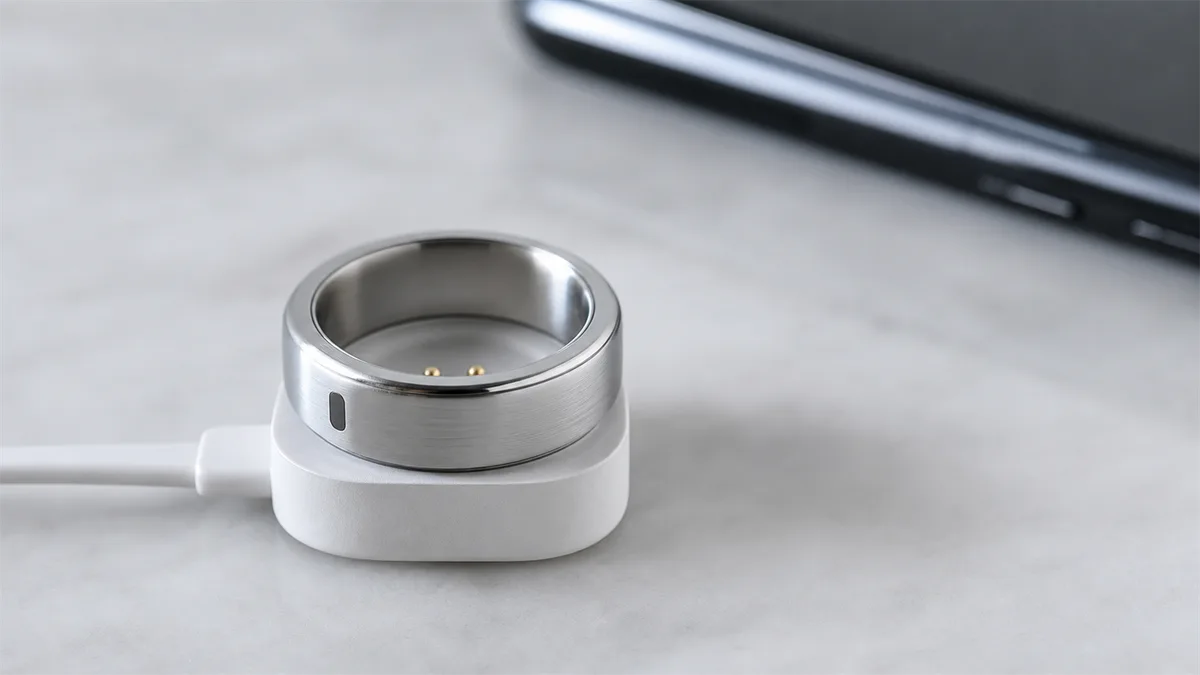
Install the matching app. Download the WESLAMIC App if you have an iTasbih ring, such as the classic iTasbih-Faith. The name printed on your ring or its box tells you which app to grab. We map every brand to its app in the next section, so hold that thought if you’re unsure.
Turn on Bluetooth (and sign in if asked). Enable Bluetooth in your phone settings, open the app, and allow the Bluetooth permission when it asks. If the app uses an account, create one or sign in when prompted; where it does, that account is what saves your history when you switch phones later.
Wake the ring. A ring that has been resting may need a nudge. Charge it for a minute or tap its sensor to bring the screen to life. A sleeping ring won’t appear in the pairing list, and that trips up more first-timers than any hardware fault. For the basics of how the link forms, our note on tasbih ring bluetooth connectivity is a calm place to start.
Pair it. In the app, open Add Product, let it scan, and pick your model from the list to bind it. On success, rings with a screen show a small Bluetooth icon; on others, the app confirms the pairing. After that first bind, the app reconnects on its own each time you open it, so you only do this once.
Which App Does Your Ring Use? Match Your Ring to the Right App
Different brands connect to different apps, so the first rule is simple: each ring pairs to its own maker’s app. WESLAMIC iTasbih rings use the WESLAMIC App; rings from other makers pair with that maker’s own app instead. The rule holds across every brand, so match the app to the name printed on your ring or its box before anything else. Installing the wrong one is a common, avoidable reason a ring won’t connect.
That confusion is real, not hypothetical. Third-party marketplaces routinely cross-tag WESLAMIC iTasbih rings under a rival brand’s keywords in the same product title, so a shopper reasonably installs the wrong app and hits a wall on the first pairing screen. Checking the brand first saves that whole detour.
Ring brand | Matching app | Where to download | How it pairs |
|---|---|---|---|
WESLAMIC iTasbih (Salam, Faith, Relation, Peace1, FIT) | WESLAMIC App | Search WESLAMIC in your app store | Bluetooth (BLE), in-app pairing list |
Other brands’ rings | That maker’s own app | The maker’s own listing | Bluetooth (BLE) |
To find the WESLAMIC App, scan the QR code on your ring’s card or search “WESLAMIC” in your phone’s app store. As of mid-2026, it carries more than 50,000 installs and a 4.5-star rating across 861 reviews on Google Play, last updated in June 2026¹, so you know the listing you land on is the genuine, maintained one. The whole WESLAMIC iTasbih family, from the entry iTasbih-Salam through the health-minded iTasbih-FIT, connects through this same app.
Pairing Over Bluetooth and Syncing to Your Phone
Zikr rings pair over Bluetooth Low Energy (BLE), the low-power variant the Bluetooth SIG carried through Bluetooth 5.x²; current WESLAMIC rings run Bluetooth 5.1. Once you bind the ring the first time, your dhikr counts and settings sync automatically, but only while the app is running and Bluetooth is on. Offline, the ring caches your counts and backfills them the moment it reconnects.
Before you pair, two prerequisites matter. Bluetooth has to be on, and the app needs its Bluetooth permission granted. Some phones ask for location too, since that permission gates Bluetooth scanning on Android. Account setup is a separate step, covered next.
What actually syncs? Your running count, your saved history, and your settings, like prayer times and goals. It happens quietly in the background whenever the app is open near the ring, not on a fixed schedule you have to trigger.
One quirk is worth naming. On many rings, a session pushes to the app only after the count returns to zero, so a fresh tally can look like it “didn’t sync” when it’s simply still open. That behavior lives with the counting mechanics, which our pillar guide, See all how to use zikr ring, lays out in full. If counts pair but never appear, the fix sits at smart tasbih ring not syncing.
A ring you keep on all day, like the full-ring iTasbih-Peace1, simply reconnects and catches up on its own the next time you open the app, with no re-pairing needed.
Setting Up the App: Account, Prayer Times & Custom Tasbih Goals
First-time app setup is a few things: sign in or create an account if the app uses one, grant location so the app can generate your five daily prayer times, then set a custom dhikr goal, say 100 SubhanAllah a day. Most brand apps follow the same basic shape, so the flow feels familiar whichever ring you own.
Where the app uses an account, start there: it ties your history to you, so a new phone later just signs back in and finds your record waiting. Without one, your counts simply live on the ring.
Next, prayer times. Grant location once, and the app calculates your five daily prayers for where you are, then can nudge you as each one arrives. On models with a vibration motor, that nudge can reach the ring as a gentle buzz; on others it surfaces on the screen and in the app. The WESLAMIC App’s own description sums up the pairing plainly: it “pairs with iTasbih to count dhikr, build daily routines and track wellness.”
Then set a goal that fits your day, not someone else’s target. A hundred salawat on your commute, a short morning wird, whatever you’ll actually keep. If you’re just starting out, the entry iTasbih-Salam keeps this part refreshingly simple: an easy first ring to set up, light on fuss, warm in the hand. Set what helps, and leave the rest.
What App Control Unlocks: Zikr Ring App Features (and What Works Offline)
The table below draws the line cleanly: what the ring handles alone, and what the app adds on top. The ring keeps the count; the app is the memory and the calendar around it, holding history, prayer-time reminders, qibla, custom goals, and firmware updates.
Our finding: Across our own iTasbih rings and several other rings we paired to compare, counting kept running with every phone switched off. Only the history, reminders, and goals waited for the app to reconnect.
Feature | Works offline (ring alone) | Needs the app |
|---|---|---|
Counting your dhikr | Yes | No |
Running tally on the screen | Yes | No |
Clearing or resetting the count | Yes | No |
Saved history and progress insights | No | Yes |
Prayer-time reminders | No | Yes, to set |
Qibla direction | No | Yes |
Custom dhikr goals | No | Yes |
Firmware updates | No | Yes |
A few models add more once connected. The iTasbih-FIT, for faith paired with wellness, feeds activity, sleep, and heart data into the app alongside your dhikr, a quiet companion for building a steady Fajr habit. Worth connecting, then? If you only want to count, no; if you want reminders, history, and goals gathered in one place, that’s exactly what pairing is for.
How to Unbind a Zikr Ring from an Account (and Re-Pair on a New Phone)
Where an app uses accounts, a ring binds to the first one it paired with, so before you switch phones, gift it, or pass on a second-hand ring, remove or unbind it in the app first. Look for the ring in the app’s settings and choose to remove or unbind it, then pair it fresh on the other phone. This is the step brand support pages almost never spell out.
For a new phone of your own, it’s simpler still. Because your history lives with your account, you sign in on the new phone and re-pair, and the record follows you. Unbinding fully matters most when the ring is leaving your hands, since it clears the link so the next person binds it under their own login and never sees your counts.
Gifting one? Reset it to a clean slate before you wrap it, so it arrives as the new owner’s own, not a hand-me-down with your history inside. A metal-finish piece like the iTasbih-Relation is made for exactly that moment, a wedding or a milestone, given as a keepsake rather than a hand-off. Clear it, box it, and let their first count be the first the ring remembers.
Troubleshooting: When Your Zikr Ring Won’t Connect
When a ring won’t connect, the cause is almost always one of five things: the wrong app, a ring that’s flat or asleep, a Bluetooth or location permission that’s off, a ring still bound to an old account, or a phone whose Bluetooth is having a moment and needs a retry. Work them in that order and most pairings come right.
Run this quick self-check:
Right app? Confirm you installed the app that matches your brand, not a look-alike.
Awake? Charge the ring a minute or tap its sensor so the screen lights and it can broadcast.
Permissions? Grant the app its Bluetooth permission, and location too on Android.
Old account? If it’s second-hand or a gift, make sure the previous owner unbound it, as covered above.
Bluetooth glitch? Toggle your phone’s Bluetooth off and on, then try again; it often clears on the second try.
If the ring still never shows in the list, smart tasbih ring bluetooth not working goes deeper. And if it pairs but keeps dropping mid-session, zikr ring keeps disconnecting bluetooth is the page for that. This section is the map; those pages are the full repair.
Frequently Asked Questions
Do I have to keep the app open the whole time I do dhikr?
No. Counting runs fully on the ring, with zero phones nearby, so you can pray with the app closed and even Bluetooth off. The app matters only for the extras: syncing history, prayer reminders, and goals. When you next open it near the ring, your offline counts backfill on their own. See the offline table above for the full split.
Can one WESLAMIC App account pair with more than one ring?
Often yes. One account can generally hold more than one ring, which helps if a household shares the app or you own two models. You pair each ring once through Add Product, and it keeps their histories separate under the same login. Typically only one ring syncs actively at a time, so switch the connection when you swap rings.
My ring won’t show up in the pairing list. What now?
Usually the ring is asleep or you’re on the wrong app. Wake it with a quick charge or a tap, confirm you installed the app that matches your brand, and check the Bluetooth permission is granted. One wrong download stalls the whole thing, so that’s the first box to tick. The troubleshooting section above lists the rest in order.
Does the WESLAMIC App work on both iPhone and Android?
Yes, on both. It’s a free download on the Apple App Store and Google Play, and the iPhone version needs iOS 15 or later³. The Android build carries the same features, so pairing, syncing, prayer times, and goals work the same whichever phone you carry.
Is my dhikr data private if I gift or sell the ring?
It is, once you unbind it. Removing the ring in the app, where that option exists, clears the link to your history, and the new owner starts fresh under their own login. Do that one step before you hand it on, as covered above, and none of your counts travel with it.
Every Dhikr, Gently Connected
Connecting a zikr ring comes down to a calm sequence: install the right app, turn on Bluetooth, pair once, and sign in if the app asks. From there the ring counts on its own, and the app quietly keeps the history, the prayer times, and the goals you choose. If something still won’t cooperate, the troubleshooting pages above go deeper, each one focused on a single fault.
The connection is only ever there to serve the remembrance, never to grade it. Whichever WESLAMIC iTasbih ring is on your hand, pair it once, then let it keep you company. Every dhikr matters, and a steady connection just makes sure none of them slip away uncounted.
This guide is general information about connecting and setting up a smart zikr ring. WESLAMIC does not issue fatwa; for questions specific to your practice, please consult a qualified scholar. Reviewed by the WESLAMIC Editorial team.
Sources
WESLAMIC App page (weslamic.com/tools/weslamic-app), “pairs with iTasbih to count dhikr, build daily routines and track wellness”, retrieved 2026-07-18
WESLAMIC product specifications and cross-brand hands-on pairing (brand input), 2026 (four-step pairing flow, Bluetooth 5.1 radio, offline counting, and the unbind-and-re-pair flow)