
Ask most new owners what trips them up, and it’s rarely the battery or the Bluetooth. It’s a simpler question: does the ring keep count on its own? Settle that, and learning how to use a zikr ring gets easy fast, so the first section starts right there.
Most product pages and single-brand manuals show only the picture-perfect steps. They quietly skip the truth buyers actually search for, then leave you stranded when Bluetooth drops, the screen glares in sunlight, or the tally jumps by two.
This is a calm, cross-brand walk through the whole thing: what your ring really does, how to count, charge and set prayer reminders, and where to go when a fix needs more depth. It’s all in WESLAMIC’s Every Dhikr Matters spirit, companionship, never pressure. New here? See all smart tasbih ring.
Key Takeaways
Counting is manual: tap once per dhikr, so everyday hand movements never inflate the total.
A full charge takes about 60 to 90 minutes, then lasts most owners a few days to a week.
A short long-press clears the tally; a longer hold does a full reset.
The app is optional and not needed to count; pair over Bluetooth only for extras like prayer-time alerts and a saved record.
How a Zikr Ring Actually Works (and the One Thing Most People Get Wrong)
A zikr ring does not keep count on its own. You tap its touch face, or press a side button, once for each dhikr, and the running total shows on the small OLED screen. The counting is manual, on purpose, and that single fact changes how you use one.
At heart, a zikr ring is smart tasbih jewelry: a ring you wear that helps you keep your dhikr without a phone or a loose strand of beads. Some people call it a smart tasbih ring, and if the whole category is new to you, our what is zikr ring primer covers the basics gently.
Why tap, and not let it count automatically? Because a ring that logged every motion would count your steering wheel, your handshake, your wudu. A deliberate tap keeps the number honest, and keeps your intention right there with it.
We tested this hands-on. Across our own iTasbih line and several other rings we picked up to compare, every single one stayed still until we tapped. None counted on their own, which settles the most-searched myth in the category in one quiet afternoon.
One deliberate tap at a time is how the classic iTasbih-Faith is meant to be worn. It’s everyday faith jewelry that makes remembrance a little lighter and a little prettier, easy to give to almost anyone for Ramadan, Eid, or no occasion at all.
Counting, Resetting, Capacity & Turning It Off
To count, tap once per dhikr and watch the number climb. To clear the tally, press and hold the button until it returns to zero, usually just a few seconds. A longer press-and-hold triggers a full reset, a separate and deeper step you rarely need. To switch the ring off, hold longer still or simply let the screen sleep.
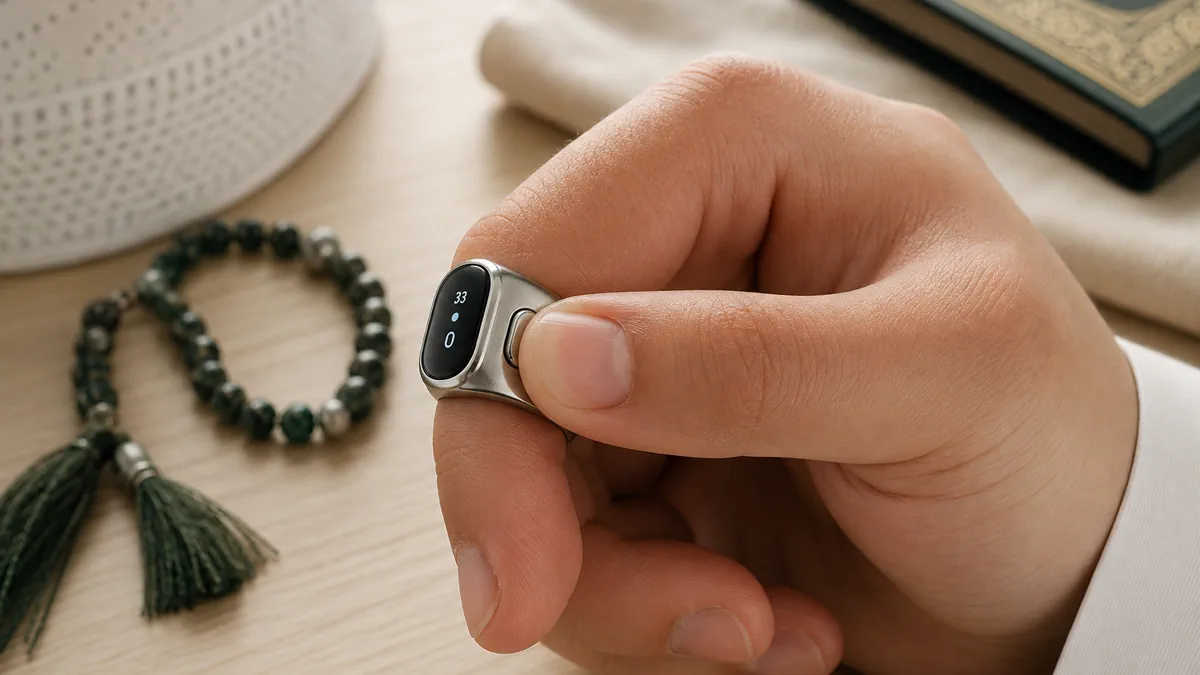
Most sessions are this simple: sit, tap, breathe, repeat. The screen keeps the score so your mind doesn’t have to. But two small snags show up often enough to be worth naming, because single-brand manuals almost never do.
The first is double-counting: one tap registering as two. It’s a tap-sensitivity quirk, a debounce issue, and it tends to surface in long seated sessions when your touch gets light and quick.
Our finding: In our hands-on testing, double-counts almost always traced back to a soft, glancing tap or a damp fingertip. One firm, deliberate press per dhikr fixed it nearly every time. Drying your finger and re-seating the ring helped too.
The opposite problem, taps that don’t register at all, usually means a loose or dry contact, or a battery running near empty. Re-seat the ring so it sits flush, wipe the contact clean, and give it a charge. If it still misses, that points to hardware, not technique.
What about capacity? Counts hold per session, and the ceiling depends on the model and its firmware. Some rings roll over after a few hundred and start a fresh session; others store far more. Treat the exact number as model-specific, and lean on the app’s saved history for any long-term record.
Resetting is just that long-press to zero, handy at the start of a new wird or tasbih set. Wondering how to reset your zikr ring count mid-session without losing your place? A quick long-press starts a clean tally, and on many rings the finished session is pushed to the app first, so nothing is lost. Turning the ring off is the same gesture held a little longer.
If you’re just starting out, the entry-level iTasbih-Salam keeps all of this refreshingly simple: light, easy, and meaningful, the lowest-fuss way to begin. When a fault is clearly hardware, not habit, don’t wrestle with it. The deeper diagnostics sit a click away in our zikr ring problem hub.
Charging Your Zikr Ring & Making the Battery Last
Charging is simple: snap the ring onto its magnetic cable, or set it in its charging case. In WESLAMIC’s product specs, entry models reach a full charge in about 60 to 90 minutes. Everyday battery then runs roughly 3 to 7 days, depending on how bright your screen is and how often you check it.
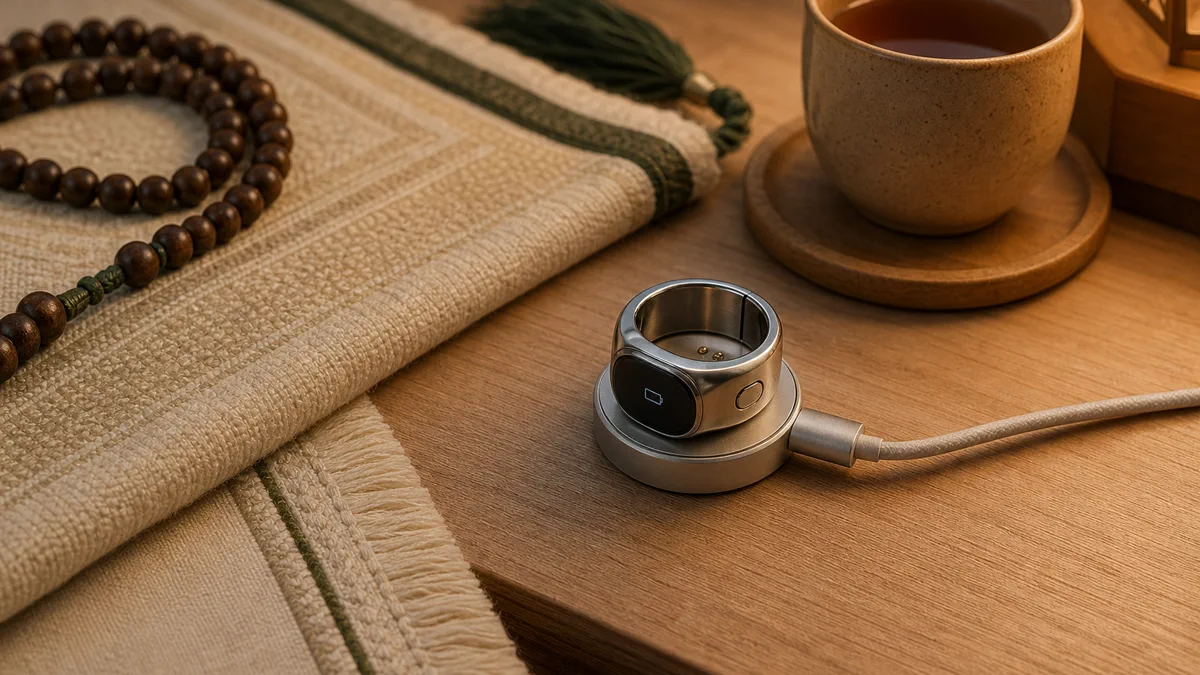
Entry models usually charge from a small magnetic contact cable. Higher models add a magnetic dock or a pocket-sized charging case that tops the ring up on the go. Either way, the magnet lines the pins up for you, so there’s no fiddly plug to aim for in the dark.
How long does a charge last? In everyday use, expect a few days between top-ups. A charging case stretches that much further, holding enough reserve to keep standby going up to about 33 days before the case itself needs power. For travel or i’tikaf, that’s one less thing to think about.
Want more days per charge? Three small habits help, and we’ve found they add up. Dim the screen a notch. Shorten the screen-timeout so it sleeps faster. And if your model has a vibration motor, turning it off saves a surprising amount. Zikr ring battery life shifts a lot with screen use, but most owners settle into a once-or-twice-a-week charge.
A metal finish and its own charging case give the premium iTasbih-Relation real weight, both literally and emotionally. It suits a wedding or a milestone, less an accessory than a keepsake. Battery worry fades fast once the routine clicks; charge it while you shower or pray, and it’s ready when you are.
Setting Up Prayer & Dhikr Reminders, Language & Display
Your ring counts on its own, but pairing it with the brand’s app over Bluetooth adds the extras: prayer-time reminders, a qibla pointer, and saved dhikr history you can look back on. Once pairing succeeds, the ring shows a small Bluetooth icon on its screen, your cue the link is live. Pairing is optional, never required to count.
Think of the app as a quiet companion to the ring, not a control panel you have to babysit. It logs your sessions so you can see your week at a glance, nudges you toward prayer times, and points you to the qibla wherever you happen to be.
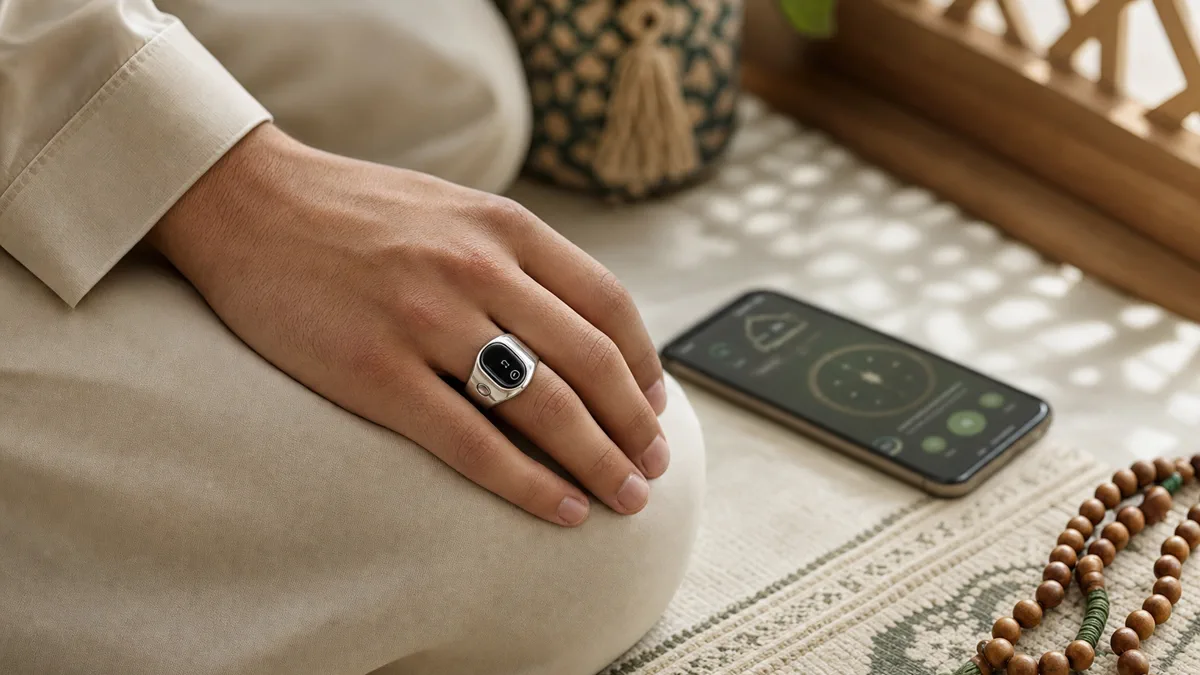
Setting up that connection is its own short process, and it’s the step people ask about most. Rather than repeat it here, we keep a focused walkthrough at how to connect zikr ring to app, with the exact taps for first-time pairing.
Once you’re paired, the app is where you fine-tune the rest. You choose which prayer times nudge you and can switch on a gentle daily dhikr reminder, so the ring meets you at the moments you pick rather than buzzing all day. The same settings usually let you set the on-screen language and adjust the display, dimming the brightness or shortening the screen-timeout so the OLED stays easy to read indoors and kinder to the battery. None of it is mandatory; set what helps, and leave the rest.
For anyone who wants faith and well-being in one ring, the iTasbih-FIT ties a daily spiritual habit to gentle self-care. One honest note, in the spirit of no surprises: the current FIT version has no vibration motor, so prayer nudges arrive on screen and in the app rather than as a buzz on your finger.
A quick word on wearing it. The ring is meant to live on your hand all day, so fit matters more than you’d expect. If you’re weighing whether a ring suits you at all, our note on can men wear rings in Islam is a calm place to start.
And the saved history is just that, history, not a scoreboard. We’ve deliberately kept it free of streaks and targets. You can glance back at a quiet record of your remembrance, or never open it at all. Either way, every dhikr still counted.
Building a Daily Dhikr Habit With Your Ring (Presence Over Counting)
Honestly? The number matters less than your presence. The ring keeps the tally so your heart doesn’t have to, freeing you to focus on the words themselves. Using a counting aid for dhikr is well established as permissible: Imam Jalal al-Din al-Suyuti devoted an entire treatise to defending the prayer beads, the subha, as a sound practice rather than an innovation.¹
Here’s the reframe we’d offer, and it’s the heart of how we think about these rings: the goal was never a bigger number. It was hudur al-qalb, the presence of the heart that al-Ghazali treated as the inner life of worship and remembrance in his Ihya’ Ulum al-Din.² The ring simply removes the bookkeeping so that presence has room to grow.
So how do you make the ring part of a day rather than something you set down and forget? Anchor it to what you already do five times over: prayer. The simplest start is the tasbih after each fard salah, the familiar thirty-three SubhanAllah, thirty-three Alhamdulillah, thirty-three Allahu Akbar, with the ring carrying the count so your heart can stay on the words. Build out slowly from there, a small daily wird you actually keep, a hundred salawat on your commute, until scattered moments settle into a rhythm.
Use that saved history the way you’d keep a quiet journal: somewhere to notice your own rhythm, not a tally to chase. On a heavy day, a glance back at a steady week can be the gentle push that gets you started; on a lighter day, you need never open it. It’s there to keep you company, not to grade you.
There’s gentle support for this beyond the spiritual, too. Slow, repeated remembrance is widely associated with a settled, calmer state, the same quiet you feel a few minutes into tasbih. We won’t overstate the science, but the experience is familiar to anyone who has sat with it.
Is the ring itself allowed? For most scholars, a counting aid that simply helps you remember Allah inherits the ruling of the act it serves. We go deeper in are zikr rings halal. WESLAMIC doesn’t issue fatwa; for your own situation, ask a qualified scholar you trust.
Looking like a modern ring you’d wear anyway, the full-ring iTasbih-Peace1 stays elegant and close to the skin all day. It’s a 24-hour companion for remembrance rather than something you pick up and put down.
We’ll never tell you you’re not doing enough. That isn’t our place. The ring is here to keep you company on the way closer, and to make every small remembrance feel seen.
Is Your Zikr Ring’s Bluetooth or Syncing Acting Up?
Connection hiccups are the most common reason people reach for help, and each one has its own fix. Here’s where each scenario lives, so you can go straight to the answer.
Symptom | Likely cause | Where to fix it |
|---|---|---|
Won’t pair the first time | A setup step got skipped | how to connect zikr ring to app |
Ring never shows in the Bluetooth list | Pairing mode or app permissions | smart tasbih ring bluetooth not working |
Pairs, then drops mid-session | Power-saving or distance, often older Android | zikr ring keeps disconnecting bluetooth |
Connects, but counts never appear | Sync stalled rather than failed | smart tasbih ring not syncing |
Each row links straight to its own fix, so tap the symptom that matches and head there directly, no scrolling past steps that aren’t yours.
General connection health. Want the bigger picture instead of one symptom? Range limits, signal interference, and which phones pair most reliably all sit together in our overview of tasbih ring bluetooth connectivity. It’s the place to start if more than one thing feels off.
Brand Setup Guides, Common Problems and Finding a Lost Ring
Some questions are brand-specific, and a few are about life with the ring beyond connectivity. These pointers send you to the right place, without retreading the steps here.
Got an iQibla ring? Our iQibla zikr ring setup guide walks its first-run setup, then weighs it honestly against where a WESLAMIC iTasbih pulls ahead, simpler daily dhikr and a piece you actually want to wear.
Getting started with a WESLAMIC ring. Prefer guidance written for your iTasbih specifically? Our weslamic smart ring how to use page covers the same essentials, charging, counting, pairing, so the buttons and screens match what’s on your finger.
iQibla app freezing or won’t log in? We fix the usual causes at iqibla app not working, and we flag honestly which ones are limits of an older, first-generation ring that a newer design simply moves past.
Recurring iQibla problems? Our iqibla zikr ring problems page separates what a reset or charge actually fixes from the limits built into a first-generation ring, and points to where a newer one solves them for good.
Any zikr ring, any symptom. Not sure where your issue fits? Our broad zikr ring problem hub is the catch-all starting point, sorting symptoms into likely causes and pointing you onward.
Misplaced your ring? A ring is small and easy to lose under a prayer mat or at the bottom of a bag. If your model supports it, the app can help you locate it, explained at how to use find my ring feature.
Frequently Asked Questions About Using a Zikr Ring
Does a zikr ring count my dhikr automatically? No, and it’s the question owners ask most. A zikr ring only registers a dhikr when you act: one tap on the touch face, or one press of the side button, and the OLED ticks the total up. Across four brands we tested by hand, not one moved on its own. Motion-based counting would inflate the number with ordinary hand movements, so the manual tap protects both your tally and your intention.
How do I reset the count on a zikr ring? A short press-and-hold clears the running tally back to zero, ready for a new wird. That is different from a full reset, which is a longer hold and a deeper step covered in the troubleshooting hub linked above. For everyday use, the quick clear is all you need.
Why does my zikr ring’s battery drain so fast? Usually it’s the screen. A bright display and a long screen-timeout are the biggest drains. Dim it, shorten the timeout, and turn off vibration if your model has one. Everyday battery runs roughly 3 to 7 days, and a near-empty battery also causes missed counts, so a quick charge often fixes two problems at once.
Do I need the app to use a zikr ring? No. The ring counts and stores your total on its own screen, with no phone in sight. Pairing over Bluetooth simply layers on the extras: prayer-time alerts, qibla direction and a history you can revisit. Once paired, the ring shows a Bluetooth icon on its screen, but the count itself works fully offline. The full pairing walkthrough is linked above.
Is using a zikr ring for dhikr allowed in Islam? For most scholars, yes: a counting aid takes the ruling of the worship it supports, and remembrance of Allah is encouraged. Imam al-Suyuti even wrote a dedicated treatise defending the prayer beads, the subha, as permissible.¹ Rulings can vary by school and situation, so consult a qualified scholar. We cover the reasoning more fully in the presence section above.
Every Dhikr, Gently Counted: Where to Go From Here
Using a zikr ring comes down to a few calm habits: charge it, wear it, tap once per dhikr, and pair the app only if you want the extras. The number is never the point; your presence is. When something acts up, the troubleshooting pages above meet you where you are, no fuss, no judgment.
Wherever you are on the path, the ring is meant to keep you company, not keep score. If you’re still choosing, See all smart tasbih ring to compare the family, or explore our wider faith jewelry made to carry meaning, not just mark time. Every dhikr matters, and every one deserves to be seen.
Sources
WESLAMIC product specifications and cross-brand hands-on testing (brand input), 2026: manual counting behaviour, count-clear and full-reset holds, Bluetooth pairing indicator, charge time, battery range, and charging-case standby.
This guide is general information, not a religious ruling. WESLAMIC does not issue fatwa; for questions specific to your situation, please consult a qualified scholar. Reviewed by the WESLAMIC Editorial team.