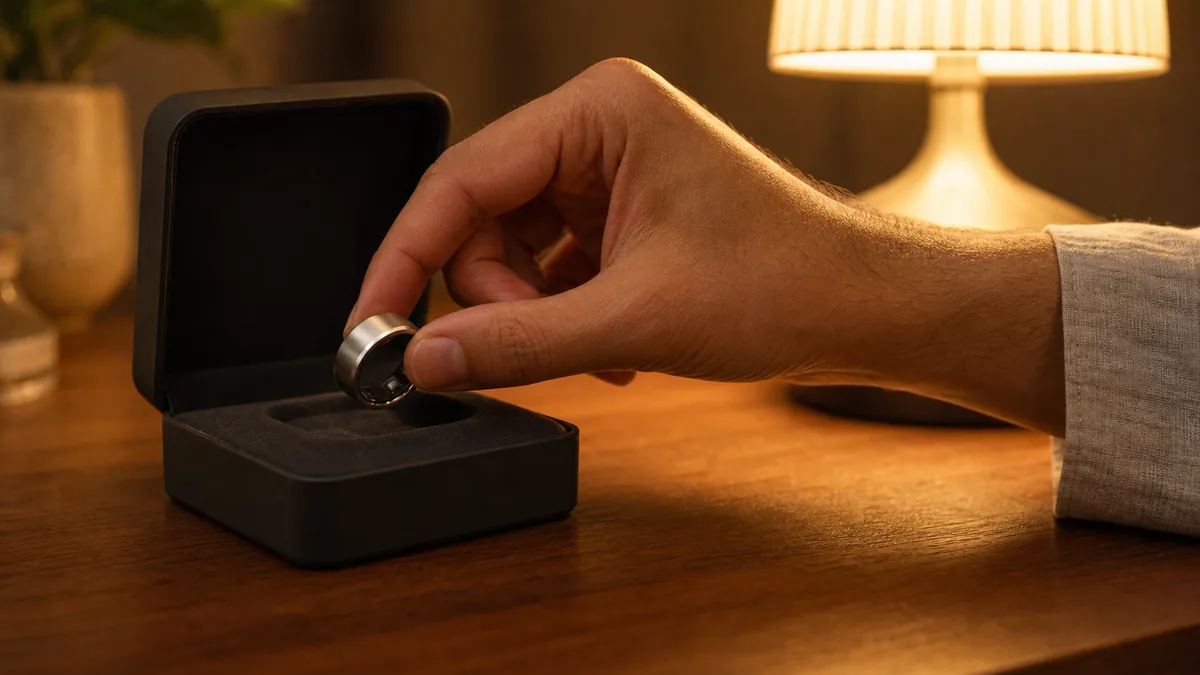
Your new iTasbih just arrived. It’s after Isha, the house has gone quiet, and you’d rather start your dhikr tonight than hunt for a manual you can’t find. Good news: setup is short, and it’s calm. So here’s how to use your WESLAMIC smart ring, step by unhurried step, from first pairing to picking out your exact iTasbih.
Direct answer: Using a WESLAMIC smart ring comes down to three habits: pair it once, count by pressing it, and let the app carry your prayer times and history. You install the free WESLAMIC app, turn on Bluetooth, and add your ring, then set your city so prayer times calculate on their own. The count lives on the ring and syncs when it can. Everyday wudu splashes are fine.
Key Takeaways
Install the free WESLAMIC app, enable Bluetooth, then Add Product to pair your ring.
Set your city once, and the app auto-calculates all five daily prayers.
Count dhikr by pressing the ring; the tally holds offline and syncs later.
The app carries a 4.5-star rating across 50,000+ Google Play installs.
Quick Start: Set Up Your WESLAMIC iTasbih in Minutes
To set up a WESLAMIC Smart Tasbih, install the WESLAMIC app, turn on Bluetooth, open Add Product, choose your iTasbih model, and hold the ring near your phone to confirm. The app is free on both the App Store and Google Play (as of July 2026). Then set your language and city, which triggers all five daily prayer times.
WESLAMIC’s own iTasbih user guide lays this out as four steps, and here’s the reassuring part: there’s no account to create and nothing to sign into. You install, pair, set your city, and start counting.

The app works on either phone, so no one is left out. On the App Store it needs iOS 15 or newer¹; on Google Play it runs on Android too. Inside the app, tap Add Product, then pick your exact iTasbih and confirm.
Setting your city does more than fix the clock. As of 2026, the app calculates your prayer times right on your phone, using the open-source Adhan library named in the developer’s privacy policy³. Your location shapes the times locally, and travel updates them for you.
Want the tap-by-tap version with screenshots? The full first-time walkthrough is in how to connect zikr ring to app. If the ring never appears in the list, restart the app and toggle Bluetooth off and on; the fuller fix lives at smart tasbih ring bluetooth not working. And if it pairs, then drops mid-session, zikr ring keeps disconnecting bluetooth has those steps.
One quick note on the iTasbih-Relation: it carries a built-in NFC card for one-tap contact sharing, a quiet aid for da’wah or a first meeting. That’s a sharing feature, though, not pairing; connecting the ring to the app still runs the same Bluetooth steps as every model.
How to Count Dhikr on the Ring (and Track It in the App)
You count dhikr with a manual press of the ring, not automatic sensing, and it tallies quietly with no screen to babysit. That press matters: a 2020 study published in the journal Physiological Measurement found motion-based counters can overcount by up to 215% while you sit still⁴. On rings with a vibration motor, a soft buzz marks 33, 66, 99 and 100.
What makes a manual press worth it? A ring that read every motion would log the car door, a handshake, the rinse of wudu. Choosing when to press keeps the number honest, and leaves your attention on the dhikr instead of the tally.
In the app, WESLAMIC’s Custom Tasbih lets you set the remembrance you’re keeping, and the Tasbih Tracker logs it, whether you’re doing a quick set after salah or building a daily habit. One tap uploads your counts, and the app gathers them into daily, weekly and longer-term reflections you can glance at, or leave closed.
Those milestone buzzes at 33, 66, 99 and 100 show up in the app’s Settings, on models that carry a vibration motor. You can switch them off to save battery. Think of them as gentle markers of the tasbih, never an alarm nagging you along.
Our finding: Across our own iTasbih rings, not one added a count during wudu, typing or a handshake. Every tally came from a deliberate press. That’s what keeps your record clean, with no motion guesswork slipping numbers in.
No phone nearby? Your tally sits safe on the ring and uploads the next time it links up, so stepping away mid-session costs you nothing. The everyday basics of pressing, clearing and zeroing the count sit in the See all how to use zikr ring overview. If counts stall instead of arriving, smart tasbih ring not syncing sorts it out.
New to this? The entry-level iTasbih-Salam keeps things simple, so the habit can settle in gently, at whatever pace suits you.
Prayer-Time Reminders, Qibla & the FIT Exception
Once you confirm your city, the WESLAMIC app sends gentle reminders for all five daily prayers and points you toward the Qibla, updating both automatically when you travel. As of 2026, its settings actually list six reminders by default, sunrise included². One model is the exception: the current iTasbih-FIT leaves out the vibration motor, so on the FIT a prayer reminder shows in the app instead of buzzing your finger.
You decide which prayers nudge you, and the reminders follow your location. Cross a few time zones and they reset themselves, with nothing to re-enter. On rings with a motor, the reminder is a soft buzz; you feel it, and no one else hears a thing.
Adjusting them takes seconds. In the app’s Prayer Reminder settings you can switch each prayer on or off, and turn on Adhan playback so the call is recited when a reminder lands. Set the ones that help you, and let the rest stay quiet. Nothing here has to buzz all day unless you want it to.
Need the Qibla? The app finds it wherever you are, using your phone’s compass and location, since the ring itself doesn’t hold a compass. Every iTasbih relies on the app for direction, so this works the same across the line.
If you like your buzz your own way, the full-ring iTasbih-Peace1 is the one model that lets you customize its vibration, a calm companion you can keep on around the clock. For a classic everyday choice, the iTasbih-Faith carries the same gentle prayer-time reminder, easy to live with morning to night.
That FIT trade-off is a deliberate one. It leans into a Fajr check-in and daily health tracking, so its reminders live on screen and in the app. We’ll leave how you weave these into your day to you; the ring is here to sit alongside your practice, not to grade it.
Charging, Battery Life & Everyday (Wudu) Care
WESLAMIC rings charge by a magnetic cable or a wireless base, and by the brand’s published specs they last up to around 15 days per charge. The iTasbih-Relation’s case stretches standby to up to roughly 33 days. The Salam’s manufacturer-stated IP67 rating means a routine wudu rinse won’t bother it, so most owners keep the ring on, though WESLAMIC advises against long submersion like swimming or bathing.
Charging is simple. The iTasbih-Salam tops up on a small magnetic charger, the iTasbih-Faith charges wirelessly, and the magnet lines up the pins for you, so there’s no plug to aim for in the dark. A full charge takes around 90 minutes.
How long between top-ups? It shifts with screen brightness and how often you wake the display, so read the numbers as “up to” figures. Going by WESLAMIC’s specs, Faith runs up to about 15 days at a light daily count, and Salam lands in a similar range. Want more days? Dim the screen, shorten the screen-timeout, and if your ring buzzes, turning the vibration off saves a surprising amount. Most owners settle into charging roughly once a week, and the magnet makes it a quick habit: rest it on the charger overnight, and you’re set for the day.
The iTasbih-Relation reads as the line’s gift piece: a metal finish the brand calls premium, plus a pocket charging case that holds a reserve of up to roughly 33 days. On the road, or during i’tikaf, that spares you one charger to remember.
On the water question: our Salam carries a manufacturer-stated IP67 rating, an IEC 60529 classification that covers wudu splashes, and the Faith and Peace1 are built for everyday splashes too. We don’t publish a water rating for the Relation or FIT, so check your own model first. Swimming, hot baths and saunas are out for every model, and where that IP67 line actually stops is laid out in is zikr ring waterproof. Whether you keep the ring on through wudu or take it off is a comfort call, and that one’s yours.
Which WESLAMIC iTasbih Model Do You Have? (Salam / Faith / Relation / Peace1 / FIT)
WESLAMIC groups iTasbih by generation: 2.0 (Salam, Faith, Relation) added design and gifting, 3.0 (Peace1) brought the full-ring look, and 3.5 (FIT) added health tracking but dropped the vibration motor. Sizing differs by model too, and knowing yours tells you which steps apply.
Model | Generation | Sizes | Vibration motor | Charging | Battery per charge | Best for |
|---|---|---|---|---|---|---|
iTasbih-Salam | 2.0 | 3 | Yes | Magnetic charger | Up to ~15 days | Value entry, easy first ring or gift |
iTasbih-Faith | 2.0 | 5 | Yes | Wireless | Up to ~15 days | Everyday classic, fits most hands |
iTasbih-Relation | 2.0 | 5 | Yes | Pocket charging case | Up to ~33 days (with case) | Premium metal finish, gift piece |
iTasbih-Peace1 | 3.0 | Own chart | Yes | Not published | Not published | Full-ring look, all-day wear |
iTasbih-FIT | 3.5 | Own chart | No (app cues) | Not published | Not published | Full-ring plus health tracking |
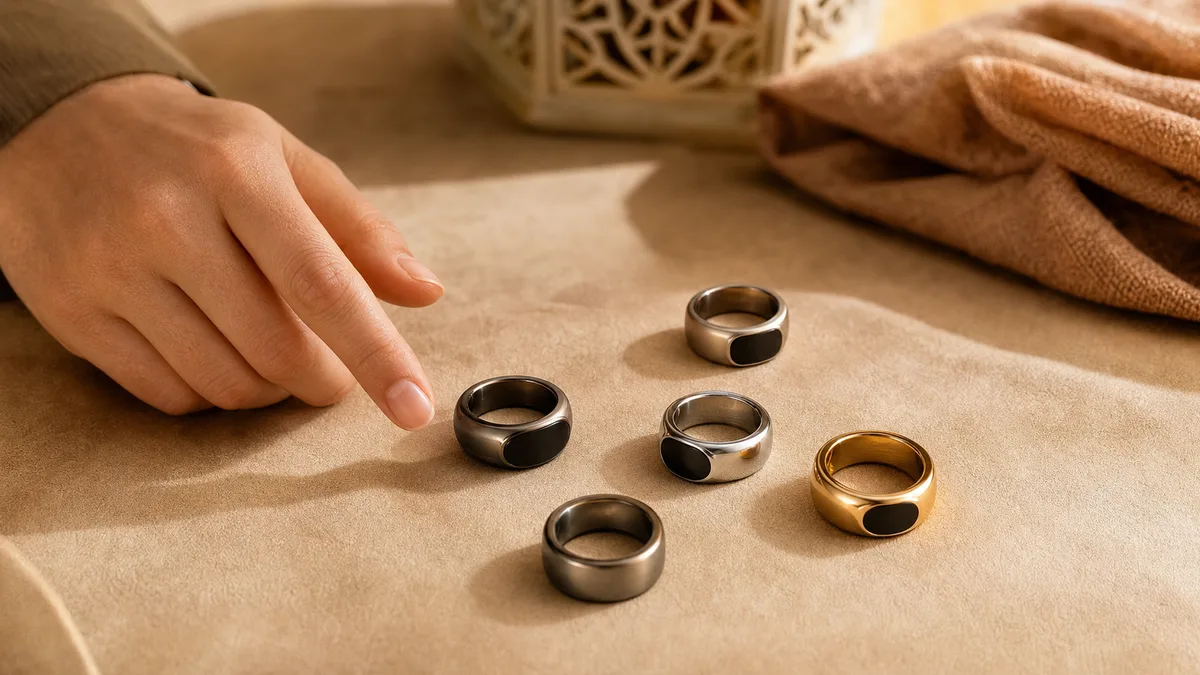
The table above is the quick tell; here’s what generation means for setup. On the 2.0 rings, the outer band keeps the count while a set of interchangeable inner rings dials in the fit, which is how Faith and Relation reach five sizes and Salam three. The full-ring 3.0 Peace1 keeps no visible screen and hands the count to the app, while the 3.5 FIT holds a small on-ring screen you tap; both run their own size charts, so measure your finger before you order. Every size chart and full spec sits on the smart tasbih ring specifications page.
Wondering which steps apply to your ring? On 2.0 rings you’ll glance at a small screen; Peace1 gives a screenless, full-ring feel; and FIT leans on app and screen cues, with its one reminder difference noted in the prayer section above.
Whichever iTasbih sits on your hand, the rhythm is the same: app, Bluetooth, Add Product, city, then count. The generation only changes the small details, never the calm of it. Every dhikr matters, and every one of yours deserves to be counted gently.
Troubleshooting & Hidden Features (Find My Ring, Reset, Language)
Most iTasbih hiccups clear in under a minute: toggle Bluetooth off and on, then restart the app, and pairing or syncing usually falls back into place. When a first restart isn’t enough, the connection and syncing guides linked earlier walk each fix in order, so you’re never left guessing your way through it.
A couple of quiet helpers hide in the app. One can send a gentle buzz to a ring you’ve set down nearby, which makes a misplaced iTasbih easier to find; whether that option shows up depends on your app version, so if it isn’t there yet, WESLAMIC support can point you to the current build. The step-by-step, and which builds carry it, sit in how to use find my ring feature. You can also switch the app’s display language in Settings, so every prompt reads in the language you actually think in.
Resetting the count is a calm long-press, and the how-to overview linked above covers zeroing in full if your tally ever looks off. None of this should feel like homework. When something misbehaves, the ring is still just there to keep pace with you, not to be wrestled with.
WESLAMIC iTasbih Review: Is It Worth It and Who It’s For
Is a WESLAMIC iTasbih worth it? For someone who wants dhikr to feel present rather than tracked, yes: it counts by a deliberate press, carries your prayer times, and rated 4.5 stars across 50,000+ Google Play installs², it earns its keep as a calm daily companion. If you’re after a full fitness watch or pure activity tracking, a general smart ring will serve you better.
Who it’s for comes down to how you’ll wear it. The entry-level iTasbih-Salam suits a first smart tasbih, or a gentle gift for someone just starting out; the iTasbih-Faith is the wear-anywhere classic that suits the widest range of hands and occasions; and the metal-finish iTasbih-Relation, with its longer-standby case, reads as the piece you’d wrap for someone you love. The specs behind each sit in the model guide above.
Want something that reads as everyday jewelry rather than tech? The full-ring iTasbih-Peace1 is comfortable enough to keep on around the clock, and the iTasbih-FIT folds a Fajr check-in and daily health tracking into that same look, for anyone balancing a wird with a walk. There’s no single best here, only the one that matches the life you already live.
WESLAMIC Support: Official Store, Login, Order Tracking & Customer Service
For anything past setup, WESLAMIC’s own channels are the place to go. New rings and the full iTasbih range live at the official store, shop.weslamic.com, which is the safest way to know you’re getting a genuine iTasbih rather than a look-alike. There’s no membership to join before you browse.
Worth clearing up: the app and the store keep separate sign-ins. The WESLAMIC app asks for no account at all, so your counting and prayer times work the moment you pair. A store login is a different thing, tied to your purchases, and it’s where your order history and tracking live once you’ve bought. Checked out as a guest? Your confirmation email carries the same tracking details.
For a fault, a return, or a question these guides don’t answer, WESLAMIC customer service is reachable through the official store’s contact page. Keep your order number handy and they can pick up the thread quickly. A ring meant to bring calm shouldn’t add stress when something needs sorting, and real people on the other end are part of that.
Frequently Asked Questions About Using Your WESLAMIC Ring
Do I need to keep my phone connected while I count?
No. The ring keeps your count on its own and syncs to the app when it reconnects, so a dropped Bluetooth link never costs you a session. Whatever you count offline uploads on its own the next time the ring links back over Bluetooth. See the counting section above for how the tally holds offline.
Does the WESLAMIC ring work on both iPhone and Android?
Yes. The WESLAMIC app is free on the App Store, for iOS 15 and up¹, and on Google Play, where it has passed 50,000 installs². There’s no account to create; you install it, turn on Bluetooth, and pair. Neither platform is left out, so use whichever phone you already carry.
Which iTasbih should I pick if I want to wear it all day?
For all-day wear, the full-ring designs sit closest to a regular ring: the 3.0 iTasbih-Peace1, or the 3.5 iTasbih-FIT if you also want health tracking. Both stay on from Fajr to Isha. The three 2.0 rings work all day too, so it really comes down to whether you want that full-ring look. See the model guide above.
Can I wear the ring during wudu without worrying?
Everyday wudu splashes are fine on the models we rate for it. Our Salam carries a manufacturer-stated IP67 rating, and the Faith and Peace1 handle everyday splashes too; we don’t publish a water rating for the Relation or FIT, so check yours first. WESLAMIC advises against long submersion, so take any model off for swimming, hot baths or saunas. The final call on wearing it through wudu is a comfort choice, and it’s yours.
Living With Your iTasbih: Next Steps
Using a WESLAMIC ring settles into a few quiet habits: pair it once, press it for each dhikr, set your city, and let the app carry the rest. None of it is about the number; it’s that you showed up for the dhikr. When something feels off, the connection and syncing pages above meet you where you are, calmly, with no fuss.

New to the whole idea, or comparing across the family? The See all how to use zikr ring overview is a gentle place to start. Wherever this finds you on the path, your ring is there to travel with you, not to score you.
This guide is general information, not a religious ruling. WESLAMIC does not issue fatwa; for questions specific to your situation, please consult a qualified scholar you trust. Reviewed by the WESLAMIC Editorial team.
Sources
¹ WESLAMIC on the App Store (listing id6478438901; free, iOS 15+, version 2.2.2), retrieved 2026-07-18
WESLAMIC, iTasbih User Guide, “How to Start to Use iTasbih” (shop.weslamic.com/pages/itasbih-manual): four-step setup, no account step, retrieved 2026-07-20
WESLAMIC iTasbih product listings and specifications (shop.weslamic.com/collections/zikr-ring/products.json): model lineup, generations, battery life, charging methods, IP67 rating, sizes, retrieved 2026-07-16