
Most zikr ring problems that get reported as a broken ring aren’t broken at all. When we mapped the eight issues owners raise most in 2026, the pattern was clear: the majority clear up in minutes, not at a repair counter. This guide sorts every common zikr ring problem into three honest buckets, so you know what to fix yourself, what genuinely needs replacing, and what to catch before you buy.
Direct answer: Of the eight zikr ring problems owners report most, five are software or setting fixes you can do in minutes (double counting, disconnects, no vibration, sync failures), two are true hardware failures that need a replacement (a dead sensor or a broken waterproof seal), and one is a design limit you can only avoid before buying. So most reports clear up on their own with a re-pair, a firmware update, or a recalibration; only the two hardware failures usually need new hardware.
Key Takeaways
Of the 8 most-reported zikr ring problems in our compilation, 5 are software fixes you finish in minutes.
Connectivity, pairing, disconnects, and sync, is the single biggest complaint cluster, and nearly all of it is software you can sort at home.
Your dhikr count lives on the ring. A dropped connection never erases it.
Only one bucket, low durability or water rating, you avoid before buying rather than fix after.
The 8 Most Common Zikr Ring Problems (and What Causes Each)
In our 2026 compilation of the eight most-reported zikr ring problems, five are software or setting fixes, two are true hardware failures (water intrusion, a dead sensor) that need a replacement, and one is a design trade-off you can only avoid at purchase. The middle column of the table below names each problem’s most likely root cause; the right column sorts all eight into those three buckets, so you can see at a glance what’s a quick fix and what isn’t.
Everything fits in one table.
Problem | Likely root cause | Can you fix it yourself? |
|---|---|---|
Double or miscounting | Gesture or moisture on the sensor | Yes, in minutes |
Bluetooth won’t pair or connect | App permission or pairing | Yes, in minutes |
App crashes or counts won’t sync | Firmware, OS, or background permission | Yes, in minutes (smart tasbih ring not syncing) |
Battery drains faster than advertised | Settings or expectation gap | Yes, in minutes |
Vibration or screen stopped | Battery Saver, screen timeout, or no motor by design | Yes, in minutes |
Water got in and the ring died | Hardware (seal) failure | No, replace it |
A tap sensor no longer responds | Hardware (sensor) failure | No, replace it |
Locked into an app, low water rating, or a fragile half-ring shell | Design trade-off | No, avoid before buying |
Two of those rows aren’t fixes at all. Water intrusion and a failed sensor are hardware, so they belong at a warranty desk, and we cover both further down. The last row isn’t a fault either. It’s a set of design limits you screen for before you buy, not after.
Double Counting and Miscounting: Why It Happens and How to Recalibrate
Double counting almost never means a broken ring. It’s usually a gesture or wudu moisture: a bent finger in sujood, or a damp sensor, reads one dhikr as two. Motion sensors are known to do exactly this. A 2020 free-living study in Physiological Measurement found a wrist-worn accelerometer over-counted steps by more than 200%, an error its authors pinned on ordinary hand and arm gestures¹. A ring’s tap sensor answers to gesture the same way, so the culprit is motion, not a fault. Drying your fingertip and pressing firmly once per dhikr clears most cases in minutes.
In our own checks, a doubled count almost always came from a light, half-pressed tap rather than a failing part, and one deliberate tap on a dry fingertip put it right. There’s no sensitivity dial to comb through in the app, so if counts still double once your touch is clean, zikr ring tap sensitivity covers what the sensor is really reading.
There’s comfort here beyond the tech, too. One scholarly view, from Egypt’s Dar al-Ifta (fatwa 6312), holds that a counting aid can be better than counting on the fingers when it guards against mistakes and lets the heart concentrate². Read that way, an occasional miscount isn’t a spiritual failing. That’s one considered opinion, not a ruling, so put your own question to a scholar you trust.
Normal counting is one tap per dhikr, and a short press-and-hold clears the tally back to zero. The full step-by-step lives on See all how to use zikr ring. And if a sensor has genuinely failed rather than misread a gesture, that’s a hardware call, which the vibration and buttons section handles below.
Bluetooth, App Crashes and Sync Failures: The Connectivity Fixes
Most connectivity problems, from failing to pair to mid-dhikr disconnects and counts that won’t sync, are software rather than a broken ring, and they clear in one pass: re-pair, clear the app cache, update the firmware, then grant Bluetooth and background permission. Your count stays safe on the ring the whole time, so nothing is lost while you work through it.
One modern culprit is the phone’s operating system. On Android 12 and newer, the app must have Bluetooth permission granted before it can pair, and stricter background limits can drop a live connection. Open the app’s permissions, allow Bluetooth and background activity, then re-pair. That single step resolves a surprising share of “won’t connect” reports, without any account or unbinding rituals.
Want the full pairing sequence? Find it on how to connect zikr ring to app, one screen at a time. If the ring pairs but never shows up, smart tasbih ring bluetooth not working goes deeper on the connection side. When it keeps dropping mid-dhikr, zikr ring keeps disconnecting bluetooth digs into the causes. Frozen counts are simpler. They usually just need the app and firmware updated, then a reconnect, as the table above links out to.
If wrestling with settings is the part you dread, the full-ring iTasbih-Peace1 was built to slip into your day and stay out of the way, so you keep company with the words, not the menus.
Battery and Charging Problems: Real Life vs Advertised
Most “my battery died” reports aren’t a dead cell. In our compilation, battery complaints split into two non-hardware causes: the gap between advertised and real-world life, and magnetic charging contacts that have gone dirty. Wipe the contacts, reseat the cable, and normal charging usually returns. Only genuine capacity loss after heavy use calls for a replacement.
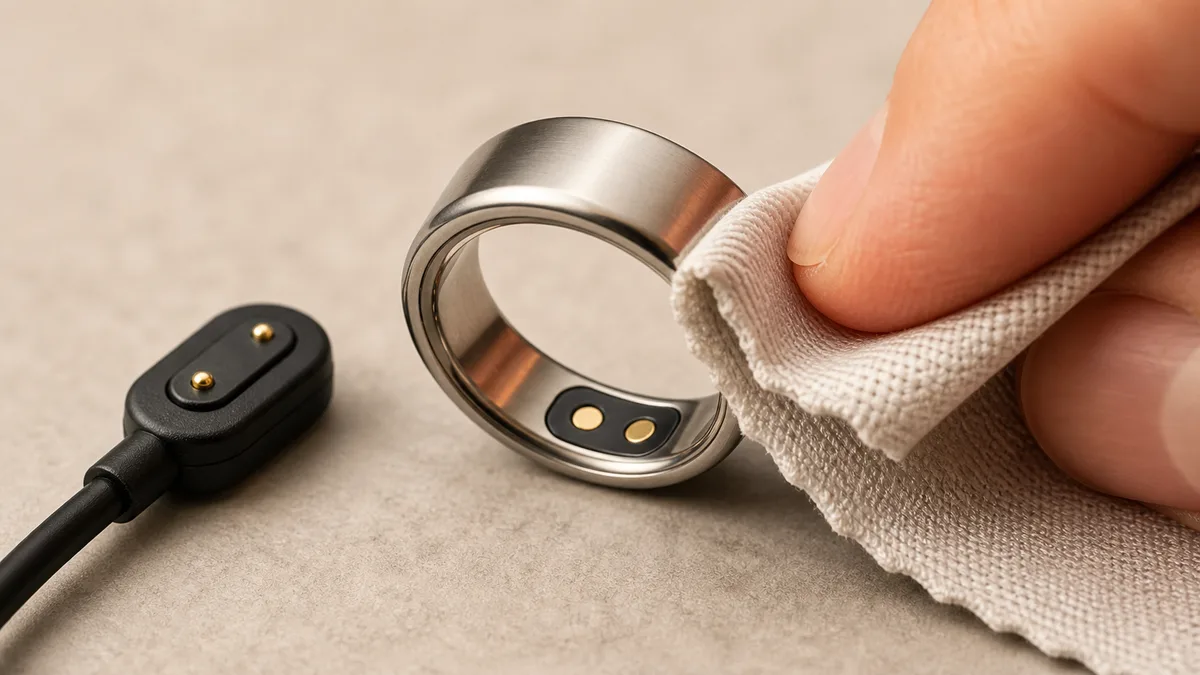
Charging is where the quick wins hide. The contacts are magnetic, so a little skin oil or lint can break the connection. Wipe both the ring’s pads and the cable head with a dry cloth, then press until it seats firmly. A ring that only charges at a certain angle is almost always telling you the pads need cleaning, not that the battery is failing. If it then charges fine from a different outlet, the cable, not the ring, was the problem all along.
Expectation is the other half. Real-world battery life always trails the headline figure, because vibration, a lit screen, and cold weather all pull more power. That’s normal behavior, not a defect. Switching on Battery Saver, which the next section covers, stretches a charge noticeably.
Genuine capacity loss shows up only after long, heavy use, when a full charge no longer lasts close to what it once did. That one is a warranty conversation, not a cleaning job. For readers who’d rather not think about charging often, the metal-plated iTasbih-Relation is our long-life pick; paired with its charging case, it goes weeks between top-ups, so the ritual, not the cable, stays front of mind.
Vibration, Display and Button Failures: Hardware or Setting?
Silence is usually a setting, not a breakage. Battery Saver switches off both the vibration and the screen, and the display sleeps on a short timeout to save power. In our compilation, this is the most misdiagnosed problem of the eight. One model, the health-focused iTasbih-FIT, carries no vibration motor by design, so silence there is expected, not a fault.
So how do you tell a setting from a real breakage? Begin in settings, not the trash. First, turn Battery Saver off, then confirm Tasbih Vibration is switched back on before you worry. A screen that goes dark after roughly ten seconds is just the normal timeout, not a dead display. A tap wakes it. So does a raise.
Model differences matter here. On the classic iTasbih-Faith, a gentle prayer-time vibration is built in, so if that buzz has gone quiet, the settings check above is nearly always the whole fix. On the iTasbih-FIT, there’s no buzz to recover. It trades the motor for health tracking and nudges you through the app instead.
When does it cross into hardware? If vibration and screen both stay dead after Battery Saver is off, the firmware is current, and the ring is charged, you’ve cleared the fixable causes. A tap sensor or button that still won’t respond after all that is a genuine hardware failure. That’s a replacement, not another reset.
Water Damage and Durability: Can You Fix a Water-Damaged Zikr Ring?
No. Once water gets past a worn seal and reaches the electronics, no setting or reset revives the ring. Water intrusion is pure hardware, a replacement rather than a repair, not something a home fix can touch (see the table above). Water ratings differ by model: the iTasbih-Salam, for one, carries a manufacturer-stated IP67 rating good for wudu and hand-washing, while other rings publish no IP figure at all.
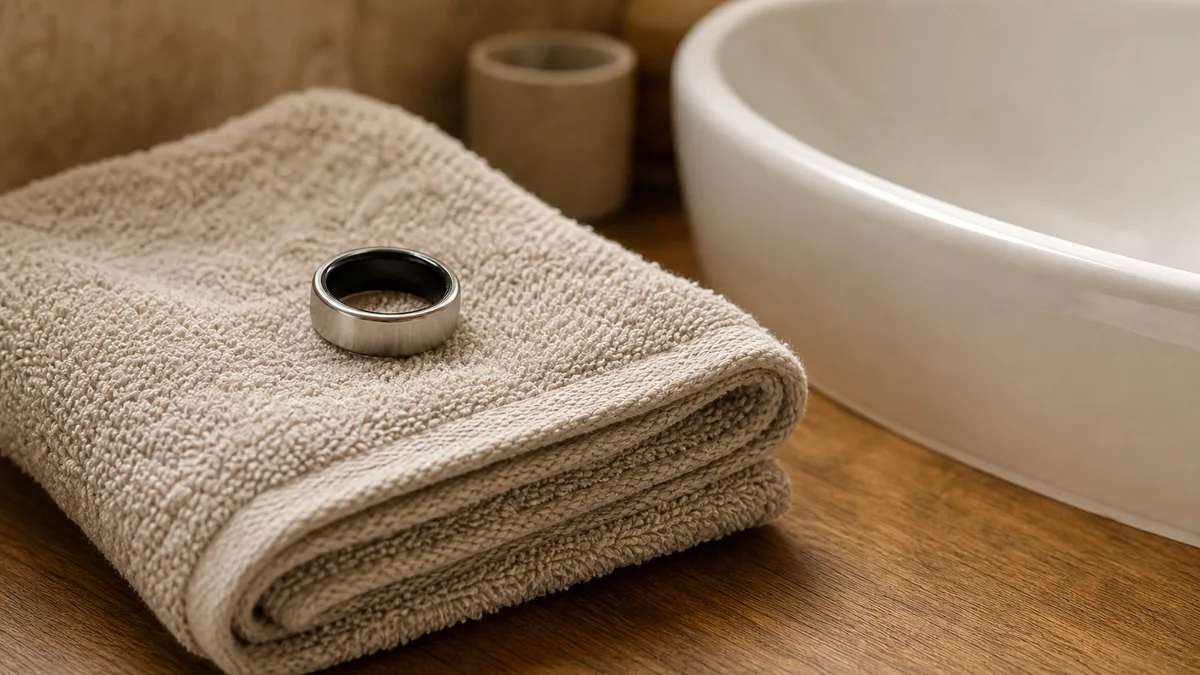
Because water damage can’t be undone, prevention is the honest move: take the ring off before you swim or shower. Exactly where each rating’s safe line falls, and why heat and steam wear on a seal, is mapped on is a zikr ring waterproof. The other unfixable problems aren’t faults at all. They’re design limits you screen for at checkout, which the next section maps.
Which Problems Are Design Flaws You Can Only Avoid at Purchase
One of the eight problems isn’t a fault you fix; it’s a design limit you’re stuck with the moment you buy. You screen for it, you don’t patch it. In our 2026 compilation, this is the one bucket you settle at purchase, never afterward. Get it wrong and nothing undoes it. No update, no reset, no warranty claim.
This is the part most product pages skip. A few zikr ring problems are baked in before you ever open the box. Some rings lock their offline extras behind a mandatory app account, carry only a splash-level water rating, or use a half-ring shell that can crack where the band meets the body. None of those are fixable later. A continuous full-ring build avoids that last weak point, which is one reason the full-ring iTasbih-Peace1 was built without that seam. Reviews and independent write-ups, not the seller’s own page, are the honest place to check a ring’s real water rating and how its shell holds up over a year.
When Is a Zikr Ring Problem Worth a Return or Replacement?
Most zikr ring problems don’t warrant a return. Because the common issues are mostly settings or software rather than hardware, a quick fix usually beats a refund. Reach for a replacement in only two situations: water has killed the ring, or a sensor or button has genuinely failed after you’ve ruled out settings, permissions, and charge. Everything else, you keep and fix.
Think of it as a two-question filter. First: did the ring take water, or stop responding to touch even after a firmware update and a reset? If yes, that’s hardware, and a replacement is fair. If no, the answer is almost always a setting, a permission, or a charge, and you can handle it at home in minutes.
That third bucket, the design limits from the section above, never reaches this return decision at all, because you settle it before buying rather than after.
Choosing your first ring, or buying one as a gift? The affordable iTasbih-Salam is an easy, low-worry start, and the classic iTasbih-Faith adds a gentle prayer-time reminder for daily rhythm. Both keep the experience simple, which, in our experience, is the surest way to sidestep problems before they start.
Is a Zikr Ring Worth It, or Is It a Scam? Setting Honest Expectations
No, a zikr ring isn’t a scam. Not magic, either. Of the eight most-reported problems, only the two hardware failures ever count as genuine faults. The rest? You fix them, screen for them before buying, or simply expect them. So the honest question isn’t whether the ring works. It’s whether a recorded, wearable dhikr count is worth more to you than a free tally on your fingers.

Your ring gives your dhikr three things a plain count can’t: it remembers, so a number survives the day and the reconnect; it wears, so the reminder rides along with you; and it can be given, as something a loved one keeps. If a bare number is all you want, your hand already does that for free. What you pay for is presence and memory, not arithmetic.
What isn’t a scam are the problems that look like defects but aren’t. A ring that double counts, drops its connection, or goes quiet reads as broken, yet those clear in minutes, as the sections above show. Judging a ring by its first bad day is where most “scam” verdicts come from, and it’s usually premature.
Real risks are the ones you can’t undo later. A low water rating, a locked app account, or a fragile shell are honest downsides, so screen for them before you pay rather than hoping they stay quiet. And keep battery hopes realistic: as the charging section covers, real-world life runs shorter than the box promises, and that gap is normal, not a defect.
Whatever the fix, the point holds: every dhikr you count deserves to be counted calmly. A ring should fade into the ritual, not compete with it.
Frequently Asked Questions
Should I return a zikr ring just because it double counts?
Usually not. Double counting is a movement or moisture issue, not a defect. A 2020 study in Physiological Measurement found a wrist step-sensor over-counted by more than 200% from hand gestures alone¹, and a ring’s tap sensor reacts to motion the same way. As covered above, a firm press and a dry fingertip fix most cases in minutes, so a refund is rarely the right call.
Are zikr ring problems covered by warranty?
It depends on the cause. Hardware failures, mainly water intrusion or a dead sensor, are the cases that typically justify a replacement under warranty. The rest of the common issues are software or settings you resolve yourself, so they aren’t warranty matters at all.
Can a firmware update fix or cause zikr ring problems?
Both, honestly. Updating firmware is one of the fastest fixes for crashes, sync gaps, and pairing bugs, which is why it appears in most of the eight troubleshooting paths. Occasionally a new build adds a fresh glitch. If that happens, a re-pair or the next patch usually settles it within days.
Do cheaper zikr rings have more problems?
Not really. Most issues, including connectivity, hit rings at every price. What changes with cost is finish and materials, not basic reliability. The bigger buying risk isn’t the price tag. It’s design limits like a low water rating, which you can screen for before you pay.
Reviewed by the WESLAMIC Editorial team. This guide is for general troubleshooting and information only. It does not issue a fatwa. For any question of ruling about your dhikr, seek guidance from a qualified local scholar.
Sources
² Dar al-Ifta al-Misriyyah, Fatwa 6312: The Ruling on Using Prayer Beads (Subha), retrieved 2026-07-18
WESLAMIC, How to Use a Zikr Ring (weslamic.com/smart-tasbih-ring/how-to-use-zikr-ring) and iTasbih product data and hands-on troubleshooting observations, retrieved 2026-07-24